IPTV Social Media FAQ

❓ VPN

Guides, tutorials and frequent answers. The FAQ is continuously improving.

All Internet VPN

Questions

Categories

A VPN (Virtual Private Network) protects your internet connection by encrypting your data and hiding your real IP address.

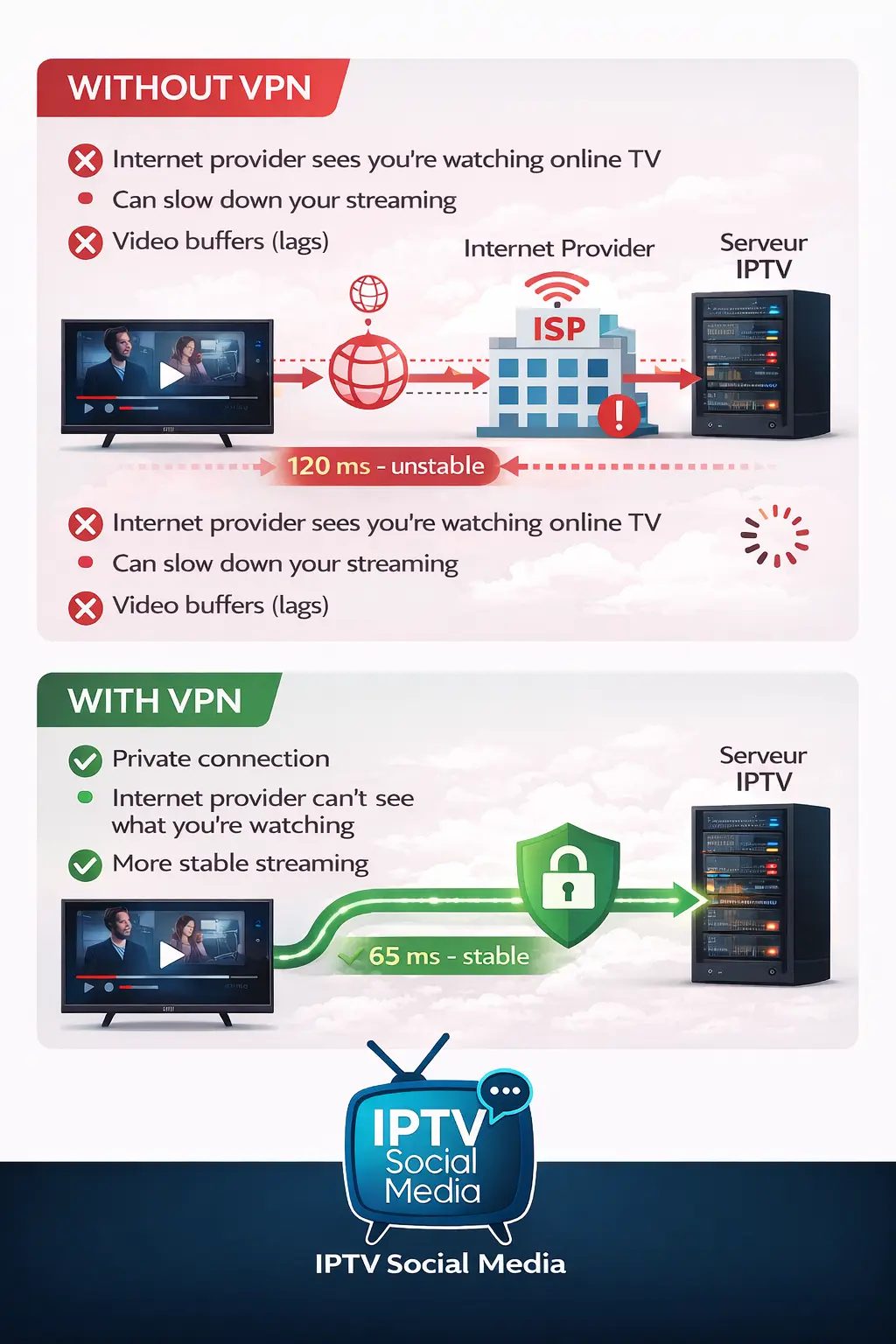
When using IPTV services, internet providers may detect streaming traffic and apply automatic restrictions such as throttling, blocking, or instability.

A VPN creates a secure tunnel between your device and the internet. This helps to:

  • Protect your privacy
  • Avoid certain blocks or restrictions
  • Improve streaming stability
  • Reduce buffering issues

In most cases where users experience freezing or playback errors, activating a VPN resolves the issue immediately.

We strongly recommend using a reliable and fast VPN for the best streaming experience.
 

For IPTV, it is important to choose a fast and stable VPN.

One of the most commonly recommended VPNs in the IPTV community is NordVPN.

Why NordVPN?

  • Very fast and stable
  • Works on Android TV, Firestick, phone and computer
  • Allows up to 5 devices connected at the same time
  • Easy-to-use application

We usually recommend choosing a 2-year plan because it saves a lot of money per month.

Important: avoid free VPNs. They are often slow, overloaded and can cause more buffering.

You can purchase NordVPN directly from their official website:
https://nordvpn.com

Important tip:
If your country’s server seems slow (ex: Canada at 7PM), try a country where it is late at night (ex: France or Europe).

Fewer people connected = less server congestion = sometimes smoother streaming.

Test different countries and keep the one that works best for you.

A VPN can improve streaming stability, but it does not fix every problem.

If you still experience buffering, here are the most common reasons:

  • Old or slow device
  • Low RAM memory
  • Storage almost full
  • Slow or unstable internet connection
  • Very large M3U playlist (too many channels)

An older or low-powered device may struggle to load thousands of channels or modern IPTV apps.

Important: a VPN does not make your device more powerful.

If your box has 2GB of RAM or less, or is several years old, it may be time to upgrade.

Simple tip: restart your device, close unused apps, and test with another IPTV app if possible.

App home FAQ